In the default Debian 13 image, the latest Docker releases do not work properly due to a misconfigured Linux image.
A similar issue has been observed on other ARM64 platforms (e.g. NVIDIA Jetson) caused by missing kernel modules.
Error message:
Aug 15 19:55:50 RUBIKPi dockerd[1401]: time="2025-08-15T19:55:50.448326609+02:00" level=info msg="Starting up"
Aug 15 19:55:50 RUBIKPi dockerd[1401]: time="2025-08-15T19:55:50.449364838+02:00" level=info msg="OTEL tracing is not configured, using no-op tracer provider"
Aug 15 19:55:50 RUBIKPi dockerd[1401]: time="2025-08-15T19:55:50.450508224+02:00" level=info msg="CDI directory does not exist, skipping: failed to monitor for changes: no such file or directory" dir=/etc/cdi
Aug 15 19:55:50 RUBIKPi dockerd[1401]: time="2025-08-15T19:55:50.450549317+02:00" level=info msg="CDI directory does not exist, skipping: failed to monitor for changes: no such file or directory" dir=/var/run/cdi
Aug 15 19:55:50 RUBIKPi dockerd[1401]: time="2025-08-15T19:55:50.490569005+02:00" level=info msg="Creating a containerd client" address=/run/containerd/containerd.sock timeout=1m0s
Aug 15 19:55:50 RUBIKPi dockerd[1401]: time="2025-08-15T19:55:50.541932338+02:00" level=info msg="[graphdriver] using prior storage driver: overlay2"
Aug 15 19:55:50 RUBIKPi dockerd[1401]: time="2025-08-15T19:55:50.543731609+02:00" level=info msg="Loading containers: start."
Aug 15 19:55:50 RUBIKPi dockerd[1401]: time="2025-08-15T19:55:50.547949213+02:00" level=warning msg="Could not load necessary modules for IPSEC rules: protocol not supported"
Aug 15 19:55:50 RUBIKPi dockerd[1401]: time="2025-08-15T19:55:50.824521609+02:00" level=info msg="stopping event stream following graceful shutdown" error="<nil>" module=libcontainerd namespace=moby
Aug 15 19:55:50 RUBIKPi dockerd[1401]: failed to start daemon: Error initializing network controller: error obtaining controller instance: failed to register "bridge" driver: failed to add jump rules to ipv4 NAT table: failed to append jump rules to nat-PREROUTING:  (iptables failed: iptabl>
Aug 15 19:55:50 RUBIKPi dockerd[1401]: iptables v1.8.11 (nf_tables):  RULE_APPEND failed (No such file or directory): rule in chain PREROUTING
Aug 15 19:55:50 RUBIKPi dockerd[1401]:  (exit status 4))
Aug 15 19:55:50 RUBIKPi systemd[1]: docker.service: Main process exited, code=exited, status=1/FAILURE
Dear customer
May I kindly confirm which operating system your PC is running—Windows, Mac, or another?
Additionally, have you referred to the procedures outlined in the user manual?
iptables v1.8.x (nf_tables): RULE_APPEND failed (No such file or directory)
failed to start daemon: Error initializing network controller
Main process exited, code=exited, status=1/FAILURE
Expected result:
Docker daemon starts successfully.
sudo docker run hello-world completes per Docker documentation.
Actual:
Last step (docker run hello-world ) cannot be executed because daemon is down.
Why this is unrelated to the manual you referenced
Problem is on the Rubik Pi kernel, not the flashing host.
Regardless of using Windows, Linux, or macOS to flash the image, Docker must run on the Rubik Pi itself. The error shows missing kernel features (e.g., overlay , nf_tables , cgroups).
Your shared WSL instructions are not applicable.
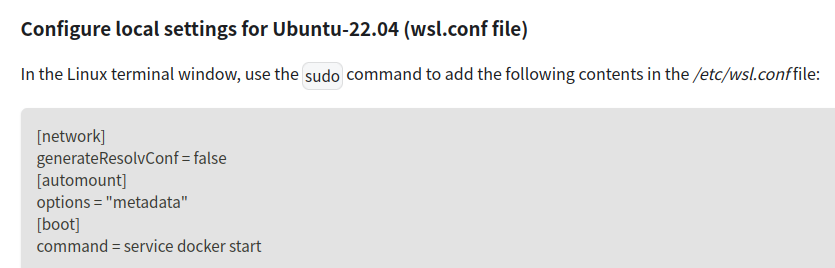
Rubik Pi does not run WSL. Editing /etc/wsl.conf on a PC has no impact on kernel modules inside Rubik Pi’s Debian image.
Docker’s official Debian procedure was followed.
The failure occurs only at daemon startup, which is a sign of missing kernel support—not an installation error.
Dear customer,
We have received the information you provided.
After aligning with our R&D team, we confirm that the issue will be resolved in the upcoming release scheduled for late August or early September.
We sincerely apologize for any inconvenience this has caused and kindly ask you to monitor our website for timely updates.