Problem setting up RubikPi 3

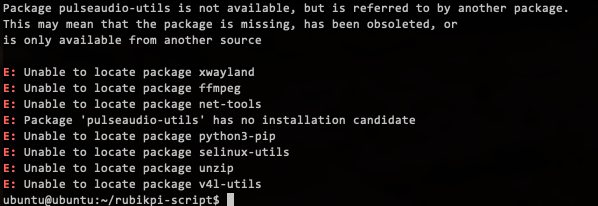
Hi. I’m following the setup guide (here). Everything works up to the point of installing the PPA packages. I get the following output:

Also, the following output from uname -a is different from the one in the guide:

Linux ubuntu 6.8.0-1054-qcom #54oem2-Ubuntu SMP PREEMPT_DYNAMIC Mon Sep  8 12:15:35 UTC 2025 aarch64 aarch64 aarch64 GNU/Linux

Any idea what I might be doing wrong?

I’m not sure why you’re having this issue.
is your internet working on rubik pi 3?

Anyway, I recommend you to flash the image by using the launcher:

After that you should have newer system, and I guess it’s easier to start from that.
Let me know how it goes.

Thanks for your reply. Ping to external sites works, so the board is connected to the internet. I’ll try reflashing.

Re-flashing my board fixed the problem. There were a couple of issues I had to navigate, though:

  1. The QualcommLauncher kept generating an error setting up WiFi. So I had to quit the launcher prematurely and manually set WiFi through the debug terminal.
  2. When I continued with the setup procedure and entered:
sudo apt upgrade -y

It generated a number of errors. I tried:

sudo apt update

Then re-tried the upgrade and everything worked. After that, the install_ppa_pkgs.sh script finally worked!

Checking the Linux version, I get:

uname -a
Linux ubuntu 6.8.0-1056-qcom #57-Ubuntu SMP PREEMPT_DYNAMIC Tue Oct 21 15:36:21 UTC 2025 aarch64 aarch64 aarch64 GNU/Linux

Now, on to the next step!

Okay, thank you for your response.

I’m back to trying to duplicate the process of reflashing and setting up my RubikPi 3.

I have tried several times. I consistently run into the following issues:

  • Qualcomm Flasher fails to set up WiFi. I don’t see any way to skip WiFi to see if there are any additional steps in the flasher. To move forward, I have to cancel Qualcomm Flasher and manually configure WiFi through the debug terminal.
  • The PPA script seems to run, but no desktop is displayed on HDMI.
  • On system reboot, the following message is displayed:
[   27.519431] kgsl-3d 3d00000.qcom,kgsl-3d0: Couldn't load the firmware qcom/qcm6490/a660_zap.mbn

I can find the file, but don’t know why it can’t be loaded:

/usr/lib/firmware/qcom/qcm6490/a660_zap.mbn.zst

Any idea what might be causing these issues?

You can try flashing the image by following the methods below and updating to the latest version. After rebooting, please check whether there are any abnormal logs.

After flashing and rebooting, and also after running the PPA script, is there still no HDMI output? Could you also let me know the resolution of the monitor you are using?

Hi Thanks for your reply!

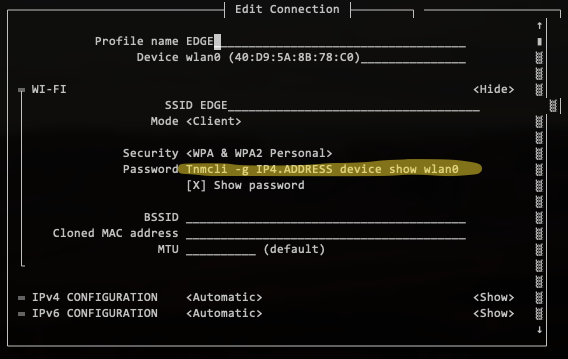
I’ve tried several times to reflash using Qualcomm Launcher. It always fails when trying to set up WiFi. When I exit after a fail and manually set the WiFi, I see the following

Notice the password setting which comes from the Launcher. My password begins with the characters, “T!2” You can see the “T”, but the rest of the string looks like a command line to set a password. Is it possible that “!2” is being used as a formatting placeholder and is being substituted by the command line?

One more thing I’ve become sensitive to over many runs, Qualcomm Launcher doesn’t seem to support the MacOS clipboard. This makes it impossible to copy log information from the app. It also means you have to manually enter WiFi passwords (long, random, hard-to-type). Just saying. :slight_smile:

Update on the HDMI issue. It’s still not working as expected.

I have reflashed my RubikPi board using both the Qualcomm Launcher and the qdl procedure. The outcome is the same, HDMI doesn’t show the RubikPi desktop.

As a test, I flashed my board with Qualcomm Linux using the Qualcomm Launcher. This worked as expected. The Qualcomm desktop appeared on HDMI. So I don’t think it’s the monitor.

After installing Ubuntu (using qdl) and running the PPA script, I output some relevant log entries:

ubuntu@ubuntu:~$ sudo dmesg | grep lt9611
[   15.564236] lt9611 9-0039: supply vdd not found, using dummy regulator
[   15.565812] lt9611 9-0039: supply vcc not found, using dummy regulator
[   15.756192] lt9611 9-0039: LT9611 revision: 0xe2
[   15.834465] lt9611 9-0039: supply vdd not found, using dummy regulator
[   15.851215] lt9611 9-0039: supply vcc not found, using dummy regulator
[   16.043077] lt9611 9-0039: LT9611 revision: 0xe2
[   16.064952] lt9611 9-0039: supply vdd not found, using dummy regulator
[   16.075127] lt9611 9-0039: supply vcc not found, using dummy regulator
[   16.258088] lt9611 9-0039: LT9611 revision: 0xe2
[   16.280134] lt9611 9-0039: supply vdd not found, using dummy regulator
[   16.280228] lt9611 9-0039: supply vcc not found, using dummy regulator
[   16.467637] lt9611 9-0039: LT9611 revision: 0xe2
[   18.410806] Modules linked in: q6apm_dai q6apm_lpass_dais q6prm_clocks snd_q6dsp_common q6prm audio_pkt binfmt_misc nls_iso8859_1 snd_socn
[  166.106902] lt9611 9-0039: hdmi cable connected
[  168.063361] lt9611 9-0039: video check: hactive_a=0, hactive_b=0, vactive=0, v_total=0, h_total_sysclk=0

ubuntu@ubuntu:~$ sudo dmesg | grep error
[   15.762674] brcmfmac mmc1:0001:1: Direct firmware load for brcm/brcmfmac43456-sdio.qcom,qcm6490-addons-idp.bin failed with error -2
[   20.824799] CAM_ERR: CAM-CCI: cam_cci_irq: 303: Base:        pK-error,cci: 1, M0_Q1 NACK ERROR: 0x10000000
[   20.872943] CAM_ERR: CAM-CCI: cam_cci_irq: 303: Base:        pK-error,cci: 0, M0_Q1 NACK ERROR: 0x10000000
[   21.401644] CAM_ERR: CAM-CCI: cam_cci_irq: 303: Base:        pK-error,cci: 1, M0_Q1 NACK ERROR: 0x10000000
[   21.442295] CAM_ERR: CAM-CCI: cam_cci_irq: 303: Base:        pK-error,cci: 1, M0_Q1 NACK ERROR: 0x10000000
[   21.509620] CAM_ERR: CAM-CCI: cam_cci_irq: 303: Base:        pK-error,cci: 0, M0_Q1 NACK ERROR: 0x10000000
[   21.564376] CAM_ERR: CAM-CCI: cam_cci_irq: 303: Base:        pK-error,cci: 1, M0_Q1 NACK ERROR: 0x10000000
[   22.144262] CAM_ERR: CAM-CCI: cam_cci_irq: 303: Base:        pK-error,cci: 1, M0_Q1 NACK ERROR: 0x10000000
[   22.199069] CAM_ERR: CAM-CCI: cam_cci_irq: 303: Base:        pK-error,cci: 1, M0_Q1 NACK ERROR: 0x10000000
[   22.249314] CAM_ERR: CAM-CCI: cam_cci_irq: 303: Base:        pK-error,cci: 0, M0_Q1 NACK ERROR: 0x10000000
[   22.835994] CAM_ERR: CAM-CCI: cam_cci_irq: 303: Base:        pK-error,cci: 0, M0_Q1 NACK ERROR: 0x10000000
[   22.892908] CAM_ERR: CAM-CCI: cam_cci_irq: 303: Base:        pK-error,cci: 0, M0_Q1 NACK ERROR: 0x10000000
[   42.624352] kgsl-3d 3d00000.qcom,kgsl-3d0: loading /lib/firmware/updates/6.8.0-1057-qcom/qcom/qcm6490/a660_zap.mbn failed with error -40
[   42.624393] kgsl-3d 3d00000.qcom,kgsl-3d0: loading /lib/firmware/updates/qcom/qcm6490/a660_zap.mbn failed with error -40
[   42.624411] kgsl-3d 3d00000.qcom,kgsl-3d0: loading /lib/firmware/6.8.0-1057-qcom/qcom/qcm6490/a660_zap.mbn failed with error -40
[   42.624429] kgsl-3d 3d00000.qcom,kgsl-3d0: loading /lib/firmware/qcom/qcm6490/a660_zap.mbn failed with error -40
[   42.624440] kgsl-3d 3d00000.qcom,kgsl-3d0: Direct firmware load for qcom/qcm6490/a660_zap.mbn failed with error -40

The reflash using the Qualcomm Launcher and the PPA script worked for me before. I don’t know what has changed.

I’m open to suggestions.
One quick question on this HDMI output @Robert. Are you flashing Ubuntu Server? You will only get the console / terminal output over HDMI if so.

To install the actual desktop bits, you need to follow these steps: Ubuntu Desktop Vs Server | RUBIK Pi Documentation

Thank you for your response. We will forward the Qualcomm Launcher related issues to Qualcomm. Should you encounter any other problems during use, please feel free to post at any time.

@davidt, thanks for the idea! It does look like Qualcomm Launcher installs Ubuntu Server. But in the RubikPi setup instructions it seems to suggest that the PPA scripts install a minimal desktop. That’s what I’m using as evidence for successful PPA installation. But it’s possible the desktop part has been removed from the script?

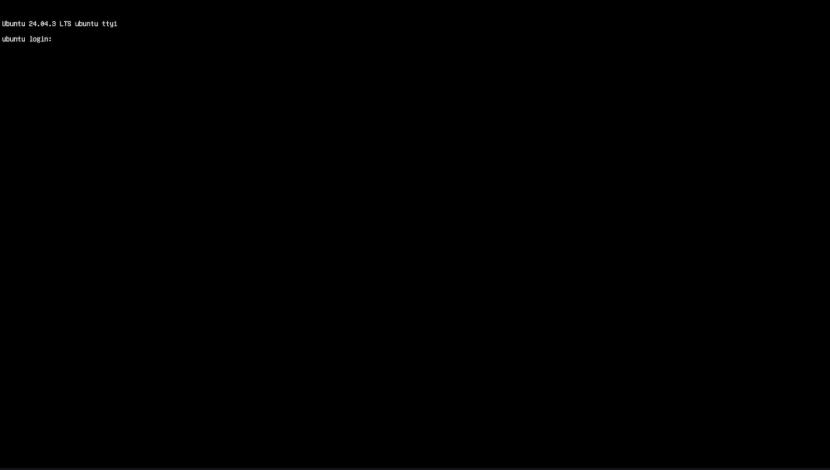
Under normal circumstances, after flashing the Ubuntu Server image, the following screen will be output via HDMI.


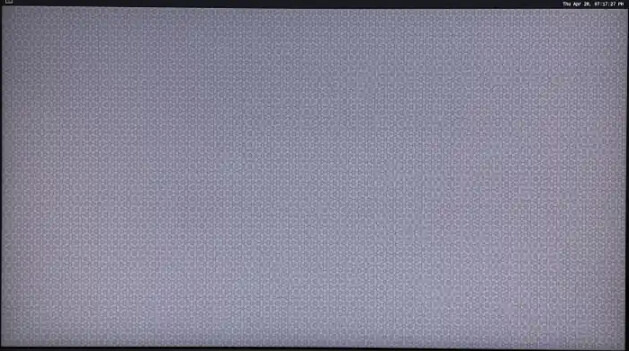
Once the PPA script has completed, the display shown below will appear.

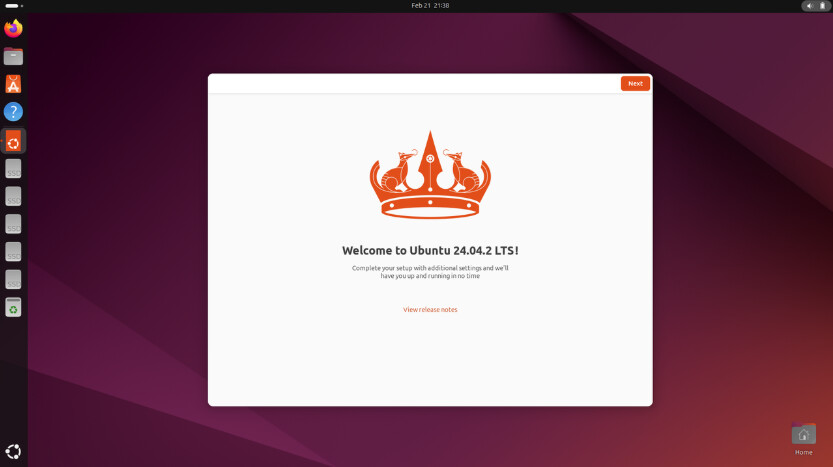
If you wish to use the Ubuntu Desktop edition, please refer to the following method; after the commands have finished executing, the screen below will be presented.

@kinkin Thanks for clarifying the expected screens! When I reflash my board (just tried this again), I get the Ubuntu Server screen on HDMI. But when I run the PPA script, the minimal desktop screen (#2 in your post) does not appear.

I checked the PPA script on GitHub and there haven’t been any recent changes, but I don’t know about the many components it loads.

There are errors in the log (listed before), but I don’t know if they are what’s affecting the HDMI output.

Anyway, I don’t need the desktop, it was just listed as confirmation that the PPA script had completed, so it makes me cautious when it isn’t displayed.

I will try to replicate this tomorrow to see if I get the minimal desktop screen (picture number 2) on one of my units. I will flash the Server edition, then run the script, and see what happens. I can’t remember if I got that minimal background, either. I seem to think I was also left with command line only, after running the package install script. I’ll test and confirm.

(In any case, you can definitely get the full Ubuntu Desktop with that link I posted earlier, if that makes your development easier).

The error above is unlikely to affect the display. We are currently debugging and testing this issue; please allow us some time.
If the current issue does not impact your usage, please proceed as usual. Should you have any questions, feel free to post at any time.

OK. Thx for looking into the errors.

I am also seeing similar results as Robert. We reflashed our board to Ubuntu 24.04 around the first of December, and the expected window manager display was working. Last week, I was planning to experiment with the sample tools, and wasn’t sure if the PPA packages had been installed or not, so I re-ran the install_ppa_pkgs script, and lost the window manager display. Since then, I have re-flashed the board using the Qualcomm installer multiple times (with and without running the “apt upgrade -y” command and then the install_ppa_pkgs script and I do not have any output on the HDMI port after running the install script.

What I have found is that the weston-autostart script does not seem to be starting:
ubuntu@ubuntu:~$ systemctl | grep weston
● weston-autostart.service loaded failed failed My graphical session

I can start the service manually and the display is correct.

I tried to start it with journalctl and got the following output:

ubuntu@ubuntu:~$ journalctl -u weston-autostart -f
Jan 07 21:29:17 ubuntu systemd[1]: Started weston-autostart.service - My graphical session.
Jan 07 21:29:17 ubuntu (ystemctl)[1873]: PAM unable to dlopen(pam_lastlog.so): /usr/lib/security/pam_lastlog.so: cannot open shared object file: No such file or directory
Jan 07 21:29:17 ubuntu (ystemctl)[1873]: PAM adding faulty module: pam_lastlog.so
Jan 07 21:29:17 ubuntu (ystemctl)[1873]: pam_unix(login:session): session opened for user ubuntu(uid=1000) by ubuntu(uid=0)
Jan 07 21:29:18 ubuntu systemd[1]: weston-autostart.service: Main process exited, code=exited, status=1/FAILURE
Jan 07 21:29:18 ubuntu systemd[1]: weston-autostart.service: Failed with result ‘exit-code’.

Thanks,
Kenton

1 Like

Thank you for sharing the information; we are currently debugging the issue.

Personally i’d suggest enabling LT9611 in XBL instead of a Linux driver. DisplayDxe can do this with a proper xml config. This would be more reliable, and you wouldn’t always have to install the packages.