You may proceed with the adaptation on your own by following the method below, or you may choose to wait for the support to be released by our R&D team in the near future.
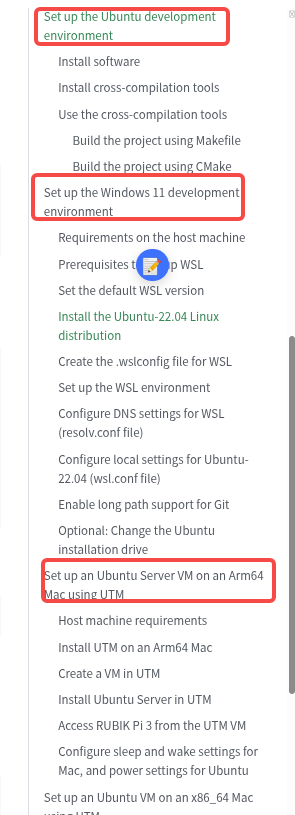
Please refer to the documentation listed below to download the source code and set up the development environment according to your PC’s operating system.
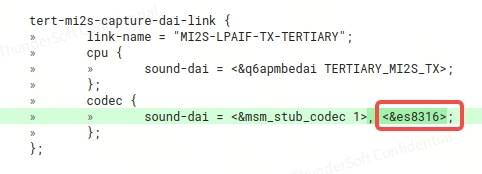
Refer to the documents src/vendor/qcom/opensource/kernel-6.6/Documentation/devicetree/bindings/sound/ics43432.txt and src/vendor/qcom/opensource/kernel-6.6/sound/soc/codecs/ics43432.c, integrate the ICS43434 driver, and add the corresponding modifications in the dts; the additional property "#sound-dai-cells = <0>;" may be required.
The driver node must be bound to the appropriate I²S interface; please refer to the diagram below.
Thanks very much for your help @Hongyang.Zhao and @kinkin. I tried to fetch the source for v1.5 so that I can add the driver, but i am encountering the following error when running repo sync:
error.GitError: Cannot fetch GitCommandError: 'update-ref -m manifest set to c382865206fe925a02a1cdbdd856e16310bc9dbc --no-deref refs/remotes/m/qcom-linux-scarthgap c382865206fe925a02a1cdbdd856e16310bc9dbc^0' on meta-tensorflow failed
stderr: fatal: c382865206fe925a02a1cdbdd856e16310bc9dbc^0: not a valid SHA1


error: Downloading network changes failed.
Failing repos (network):
layers/meta-tensorflow
Try re-running with "-j1 --fail-fast" to exit at the first error.
================================================================================
Repo command failed due to the following `SyncError` errors:
GitCommandError: 'update-ref -m manifest set to c382865206fe925a02a1cdbdd856e16310bc9dbc --no-deref refs/remotes/m/qcom-linux-scarthgap c382865206fe925a02a1cdbdd856e16310bc9dbc^0' on meta-tensorflow failed
stderr: fatal: c382865206fe925a02a1cdbdd856e16310bc9dbc^0: not a valid SHA1
Should you wish to download the Yocto project, please run the following commands: rubikpi-6.6.90-QLI.1.5-Ver.1.2_qim-product-sdk-2.0.1.xml
Alternatively, you may refer to the approach described in the documentation:
After completing the code modifications and build, you may flash the device tree and push the *.ko file; once the *.ko file has been pushed, please manually run insmod.
With the rubikpi-6.6.90-QLI.1.5-Ver.1.2_qim-product-sdk-2.0.1.xml manifest i get the error:
error.GitError: Cannot fetch GitCommandError: 'update-ref -m manifest set to c382865206fe925a02a1cdbdd856e16310bc9dbc --no-deref refs/remotes/m/qcom-linux-scarthgap c382865206fe925a02a1cdbdd856e16310bc9dbc^0' on meta-tensorflow failed
stderr: fatal: c382865206fe925a02a1cdbdd856e16310bc9dbc^0: not a valid SHA1
I tried on a clean VM and get the same result.
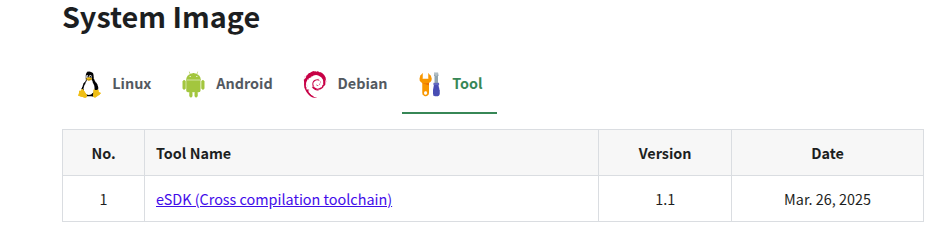
I also tried to follow the getting started guide, but the link to download the toolchains_V1.1.0.zip seems to point to the wrong place (it links to the system image download).
You are required to download the latest version of the source code.
Prior to downloading the Yocto sources, please configure your Ubuntu host as described below.
The problem with syncing the repo is that the manifest file for meta-tensorflow refers to an invalid commit (it appears to have been erased via force push / history re-write by the maintainer of that git repo). To fix it, i switched the commit to the one that came shortly after (eeee54cfa3c51c1fd99604a0d5f173096bdcf1da). After fixing the manifest i was able to sync the repo and make changes to the latest release - please see my post above for details of the changes made to the config and device tree. The only difference v.s. the 1.3 version is the link-name:
Thanks for uploading it again @kinkin. Unfortunately the file is still all nulls other than the WAV header. This was after running the pa commands you shared earlier:
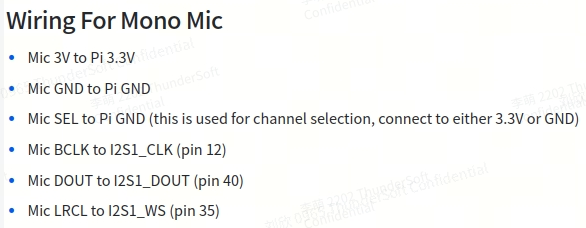
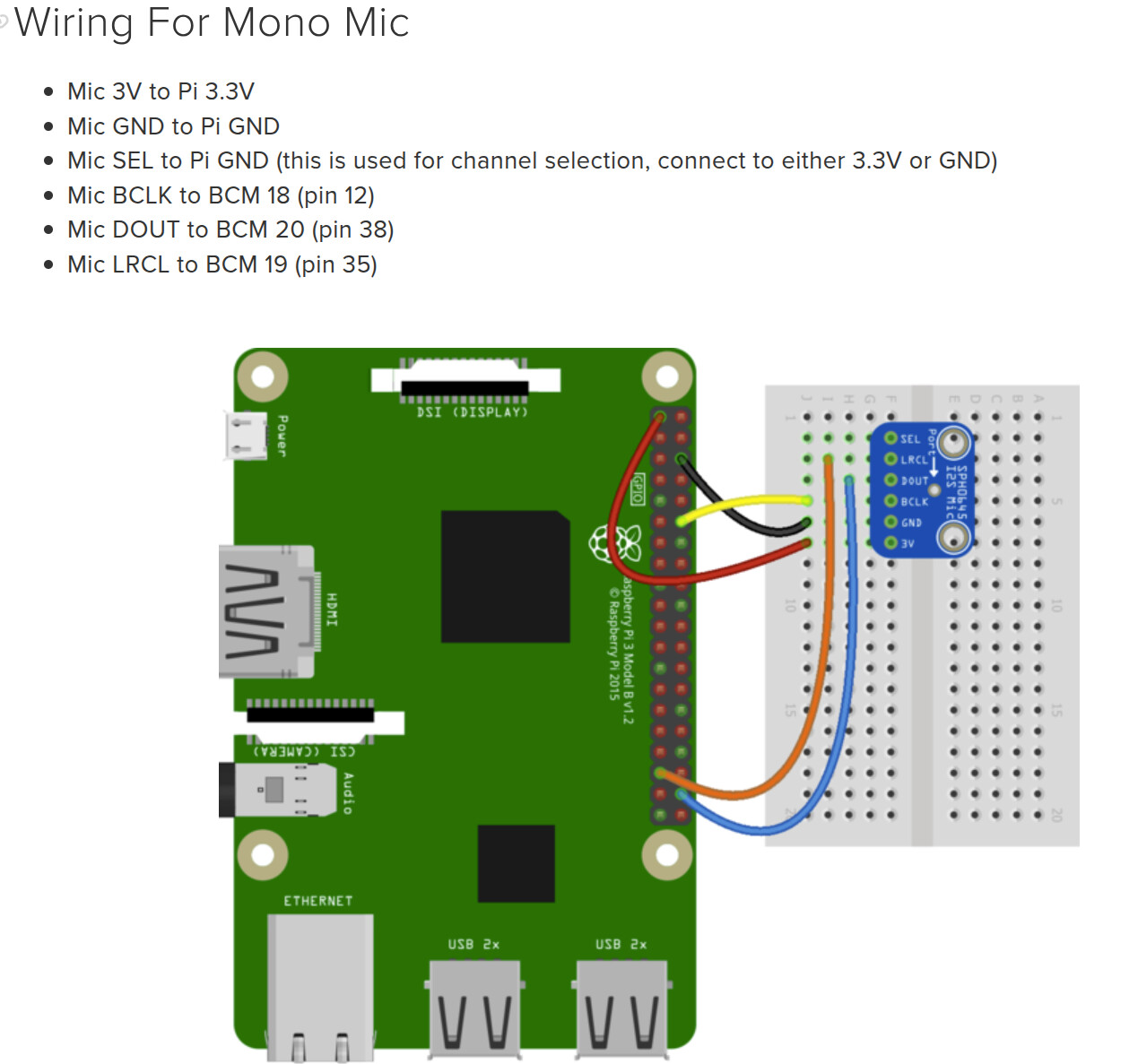
The problem was that i had wired it according to the following diagram, so dout on the microphone board was wired to I2S1_DIN (pin 38) instead of I2S1_DOUT (pin 40):
Shouldn’t dout go to din on the pi? I have designed a hat around this assumption (and to be backwards compatible with other Pis, it would need to be pin38, which is the PCM in).