amccem
August 13, 2025, 6:17am
1
According to the docs pins 12, 35 and 38 should default to the i2s clock, ws and data functions, but i’m unable to get a microphone to work when it’s connected to these pins. I’ve tried using pulseaudio, tinycap and gstreamer to make a recording, but all it records is white noise. It doesn’t matter which device I use with these programs, i always get white noise. The QCS6490 docs imply the correct device is regular2 and they give the example:
parec -v --rate=48000 --format=s16le --channels=1 --file-format=wav /opt/test.wav --device=regular2
Is there some config / device tree change that needs to be made to get i2s mics to work?
My microphone works correctly - if i connect it to the same numbered pins on a raspbery pi 5, then i can record high quality audio using arecord .
kinkin
August 13, 2025, 7:07am
2
Dear customer,
amccem
August 13, 2025, 7:21am
3
Thanks for your reply kinkin, I am running Qualcomm Linux 1.3-ver.1.1
kinkin
August 13, 2025, 7:52am
4
Dear customer,we are currently syncing this issue internally.
kinkin
August 13, 2025, 11:47am
5
Dear customer
systemctl stop pulseaudio
agmcap /home/my.wav -D 100 -d 101 -r 48000 -b 16 -c 2 -i MI2S-LPAIF_AUD-TX-SECONDARY -dkv 0xA3000003
amccem
August 14, 2025, 12:35am
6
I tried the above, but it returns:
root@rubikpi:~# agmcap /home/my.wav -D 100 -d 101 -r 48000 -b 16 -c 2 -i MI2S-LPAIF_AUD-TX-SECONDARY -dkv 0xA3000003
Entry not found
Invalid input, entry not found for MI2S-LPAIF_AUD-TX-SECONDARY
I can see that device exists though:
root@rubikpi:~# cat /proc/asound/pcm
00-00: MI2S-LPAIF-TX-PRIMARY multicodec-0 :  : capture 1
00-01: MI2S-LPAIF-RX-PRIMARY multicodec-1 :  : playback 1
00-02: TDM-LPAIF-TX-PRIMARY msm-stub-aif0-tx-2 :  : capture 1
00-03: TDM-LPAIF-RX-PRIMARY msm-stub-aif0-rx-3 :  : playback 1
00-04: MI2S-LPAIF_RXTX-RX-PRIMARY msm-stub-aif0-rx-4 :  : playback 1
00-05: MI2S-LPAIF_RXTX-TX-PRIMARY msm-stub-aif0-tx-5 :  : capture 1
00-06: MI2S-LPAIF_VA-RX-PRIMARY msm-stub-aif0-rx-6 :  : playback 1
00-07: MI2S-LPAIF_VA-TX-PRIMARY msm-stub-aif0-tx-7 :  : capture 1
00-08: MI2S-LPAIF_AUD-RX-SECONDARY msm-stub-aif0-rx-8 :  : playback 1
00-09: MI2S-LPAIF_AUD-TX-SECONDARY msm-stub-aif0-tx-9 :  : capture 1
kinkin
August 14, 2025, 11:01am
7
Dear customer<device name="MI2S-LPAIF_AUD-TX-SECONDARY" rate="48000" ch="1" bits="16" />
systemctl stop pulseaudio
agmcap /home/my.wav -D 100 -d 101 -r 48000 -b 16 -c 1 -i MI2S-LPAIF_AUD-TX-SECONDARY -dkv 0xA3000003
amccem
August 14, 2025, 11:30am
8
I no longer get the error from before:
root@rubikpi:~# agmcap /home/my.wav -D 100 -d 101 -r 48000 -b 16 -c 1 -i MI2S-LPAIF_AUD-TX-SECONDARY -dkv 0xA3000003
pcm_plug_open: dlopen successful for libagm_pcm_plugin.so
Capturing sample: 1 ch, 48000 hz, 16 bit
diag: Diag_LSM_Init: invoked for pid: 1548 with init_count: 0
diag:successfully connected to socket 16
diag: Diag_LSM_Init: done for pid: 1548 with init_count: 1
diag: Successfully registered commands with the driver
^CCaptured 606208 frames
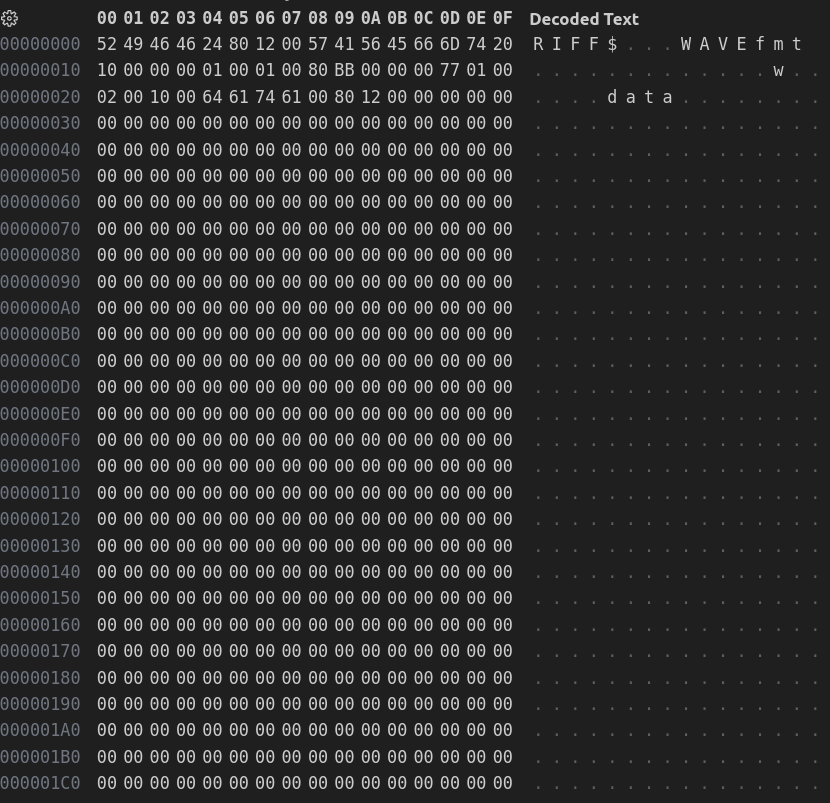
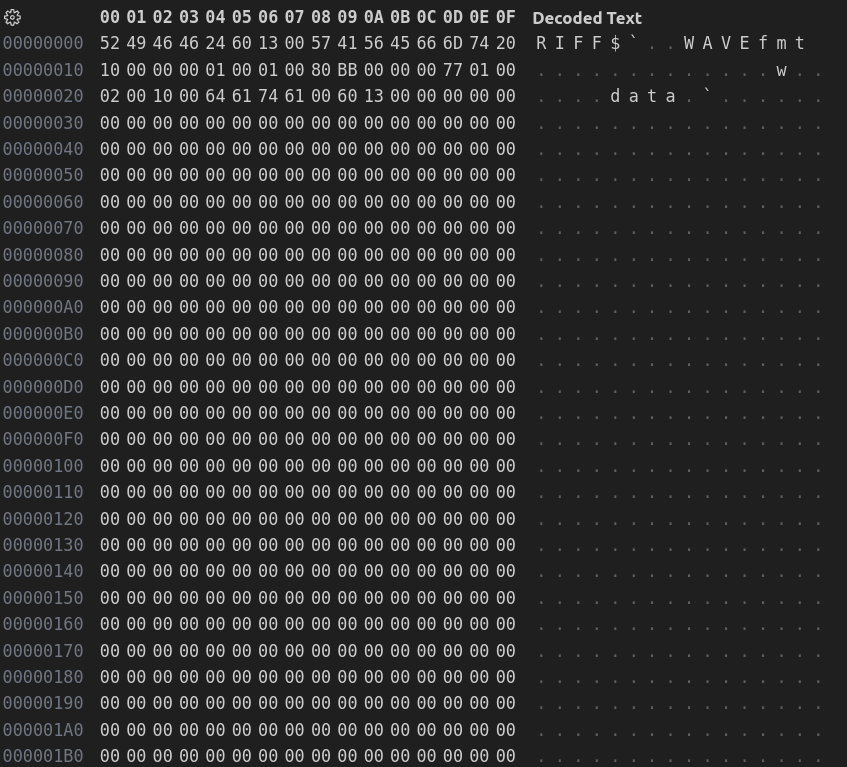
But unfortunately the wav file is all null - no white noise even:
kinkin
August 15, 2025, 6:47am
9
Dear customer,
amccem
August 18, 2025, 6:22am
10
Thanks for the update kinkin. Any chance i could apply this fix/patch myself? Could you please let me know what time in September the release is planned for?
kinkin
August 18, 2025, 7:33am
11
Dear customer,
1 Like
amccem
September 12, 2025, 4:05am
12
Hi kinkin,
I’ve updated to the latest release of Qualcomm linux for the Rubik PI (Qualcomm Linux 1.5-ver.1.1), but unfortunately audio recording still doesn’t seem to work for me:
parec -v --rate=48000 --format=s16le --channels=1 --file-format=wav /opt/test.wav --device=regular2
produces white noise. If i add MI2S-LPAIF_AUD-TX-SECONDARY to backend_conf.xml and run:
agmcap /home/my.wav -D 100 -d 101 -r 48000 -b 16 -c 1 -i MI2S-LPAIF_AUD-TX-SECONDARY -dkv 0xA3000003
then i get the following error:
mixer_plugin_open: failed to open plugin, err: -131
Failed to open mixer
Captured 0 frames
kinkin
September 12, 2025, 10:53am
13
Kindly execute the following test commands:systemctl stop pulseaudioagmcap /opt/my.wav -D 100 -d 101 -r 48000 -b 16 -c 1 -i MI2S-LPAIF-TX-TERTIARY -dkv 0xA3000003agmplay /opt/my.wav -D 100 -d 100 -i MI2S-LPAIF-RX-TERTIARY
amccem
September 14, 2025, 12:11am
14
Unfortunately it seems to be the same as before where the wav file contains a header but all null data:
kinkin
September 15, 2025, 2:43am
15
Have you made any modifications to the software (devicetree)? If so, please share them with us.
amccem
September 15, 2025, 3:06am
16
kinkin
September 15, 2025, 6:19am
17
Could you kindly share the link to the I2S microphone you are currently using?
amccem
September 15, 2025, 6:49am
18
kinkin
September 15, 2025, 11:31am
19
Code modifications are required to support this device.
amccem
September 15, 2025, 11:53am
20