Hello,
I’ve been struggling to install Ubuntu for two days.
After flashing Ubuntu with the Thundercomm Launcher and installing the ppa packages, the GUI screen shown in the guide doesn’t appear. (Upgrade Canonical Ubuntu to Latest Build | RUBIK Pi Documentation)
Even after installing ubuntu-desktop-minimal, I can’t log in properly. The same thing happens with lightdm+xfce.
I’d like to confirm: after running “install_ppa_pkgs.sh,” should the screen shown on the webpage be displayed? If not, what should I do?
Also, is the Ubuntu desktop not supported on the Rubik Pi 3?
This issue appears on the Ubuntu Server image and is a known problem that we are currently debugging.
Should you wish to use Ubuntu Desktop, you may either:
switch from the Ubuntu Server version to the Desktop version by following the link below,
or flash the Ubuntu Desktop image directly.
The Ubuntu Desktop display is shown below. Would this meet your requirements?
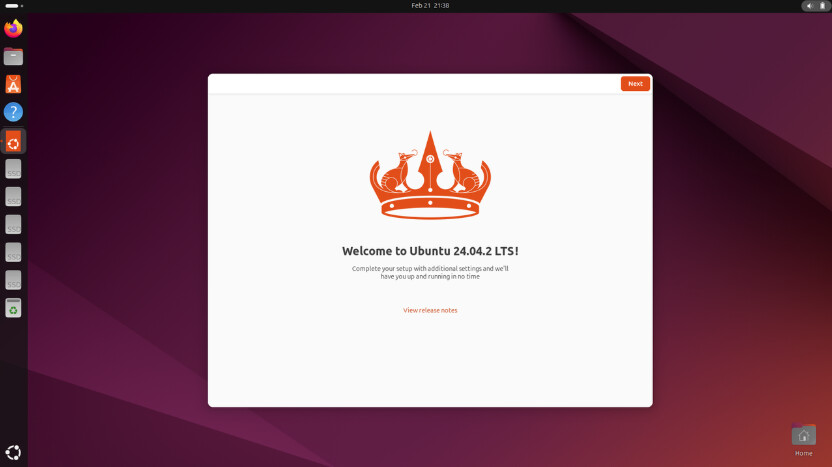
Thank you for sharing this helpful information.
Also, I figured out why the Weston-based screen shown in the guide wasn’t displayed on the HDMI output. The problem was that the following two packages weren’t updated even after running “install_ppa_pkgs.sh” and “sudo apt update && sudo apt upgrade –y” :
firmware-qcom-hlosfw, qcom-iot-defaults
The problem was resolved after running “sudo apt full-upgrade” twice.
Thank you very much for sharing.
Thanks @jichoi! I was having the same problem. The double full-upgrade worked for me, too. Each time, one of the “held back” packages was installed.
BTW, this also enabled auto-power-on for my V02 board, which wasn’t working before. 
We are pleased to hear this.

BTW, is there a plan to fix the issue so the two packages are installed correctly without having to install them manually?
Certainly, this issue will be optimized in a future release.
1 Like