Hi team, is it possible to enable the graphical UEFI menu, so that boot device choice, and other UEFI settings are easier to configure?
This is how the RK3588 looks:
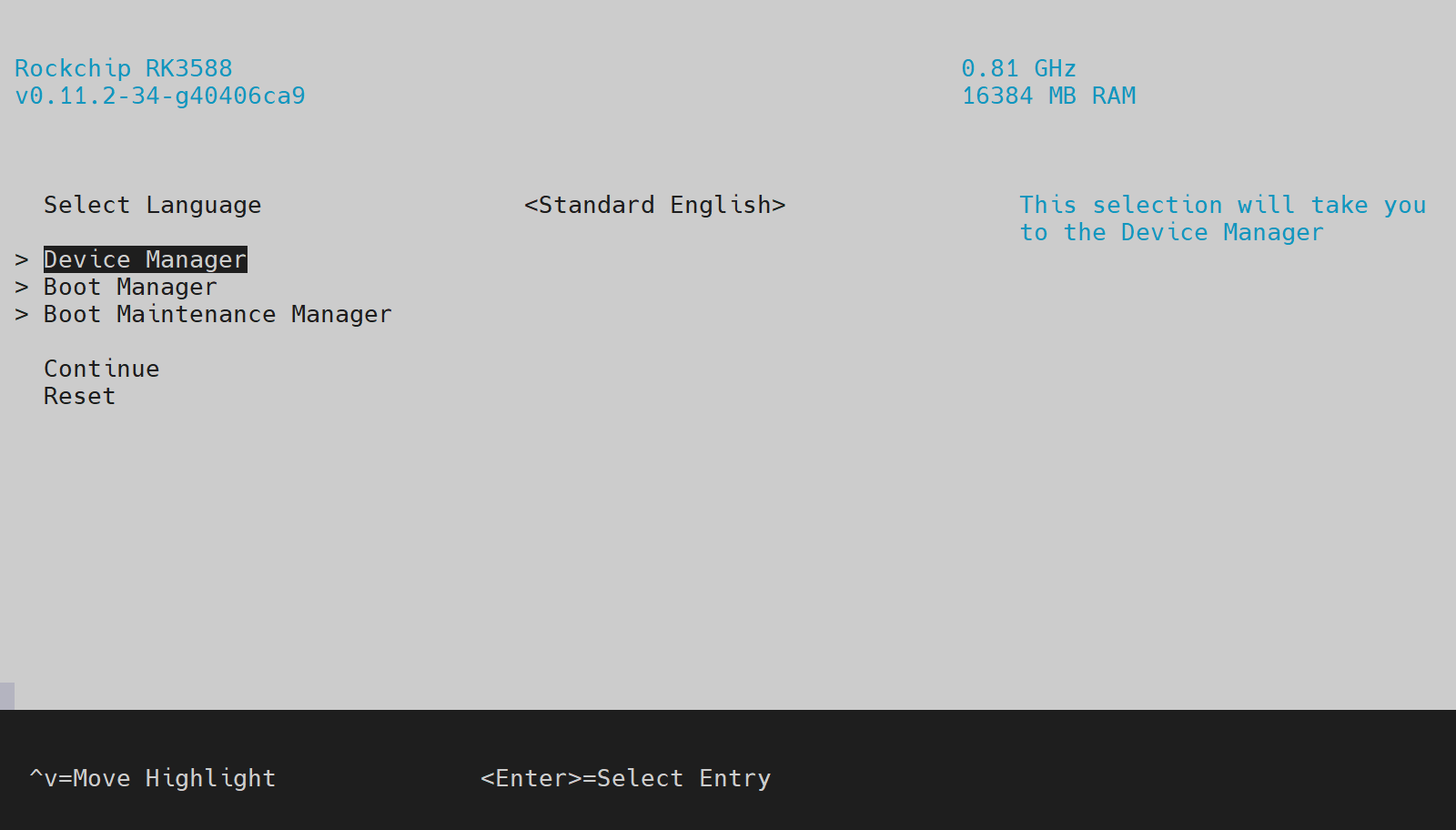
Thanks!
Hi team, is it possible to enable the graphical UEFI menu, so that boot device choice, and other UEFI settings are easier to configure?
This is how the RK3588 looks:
Thanks!
May I ask whether you are using the RUBIK Pi, have connected another board, or have made any hardware modifications?
Could you also confirm which software release you are running—Linux, Debian, or Ubuntu?
Whether you require UEFI display functionality?
Hi @kinkin , yes let me be a little more clear in my explanation. 
I am most definitely using the Rubik Pi, I was only showing what the RK3588 looks like as an example. I have my Rubik Pi connected to my monitor, keyboard, and mouse. I am currently running Ubuntu Desktop, but the operating system shouldn’t matter…because the ability to enter the UEFI settings menu would appear immediately after powering on, before the operating system loads. This is similar to how a normal PC works. When you power on, you can press F12, DEL, F2, or some other button on the keyboard to interrupt the boot process and access the system configuration menus. It would be nice to be able to do that on the Rubik Pi, if possible.
Hope that helps, thanks!
This feature is not supported in the current release; however, it is already on our development schedule and is planned for implementation in Q1 2026.
Great news, thanks @kinkin !
Hi! I recently bought this board and found that its UEFI is indeed lacking in some functions, such as display and so on. You guys said it was planned in the Q1 2026. May I ask if there is any progress now?
Thanks.
Our R&D team is currently working on this. We will update here as soon as there is any progress. Thank you for your patience.
Ok, glad to know that.
Thank you for ur response.